
AI Automation: a content factory on a schedule
This is the module that separates the platform from a video generator. The AI Producer runs the whole chain: plan, script, visuals, footage, voice, music, edit, publish.
Start from a ready scenario
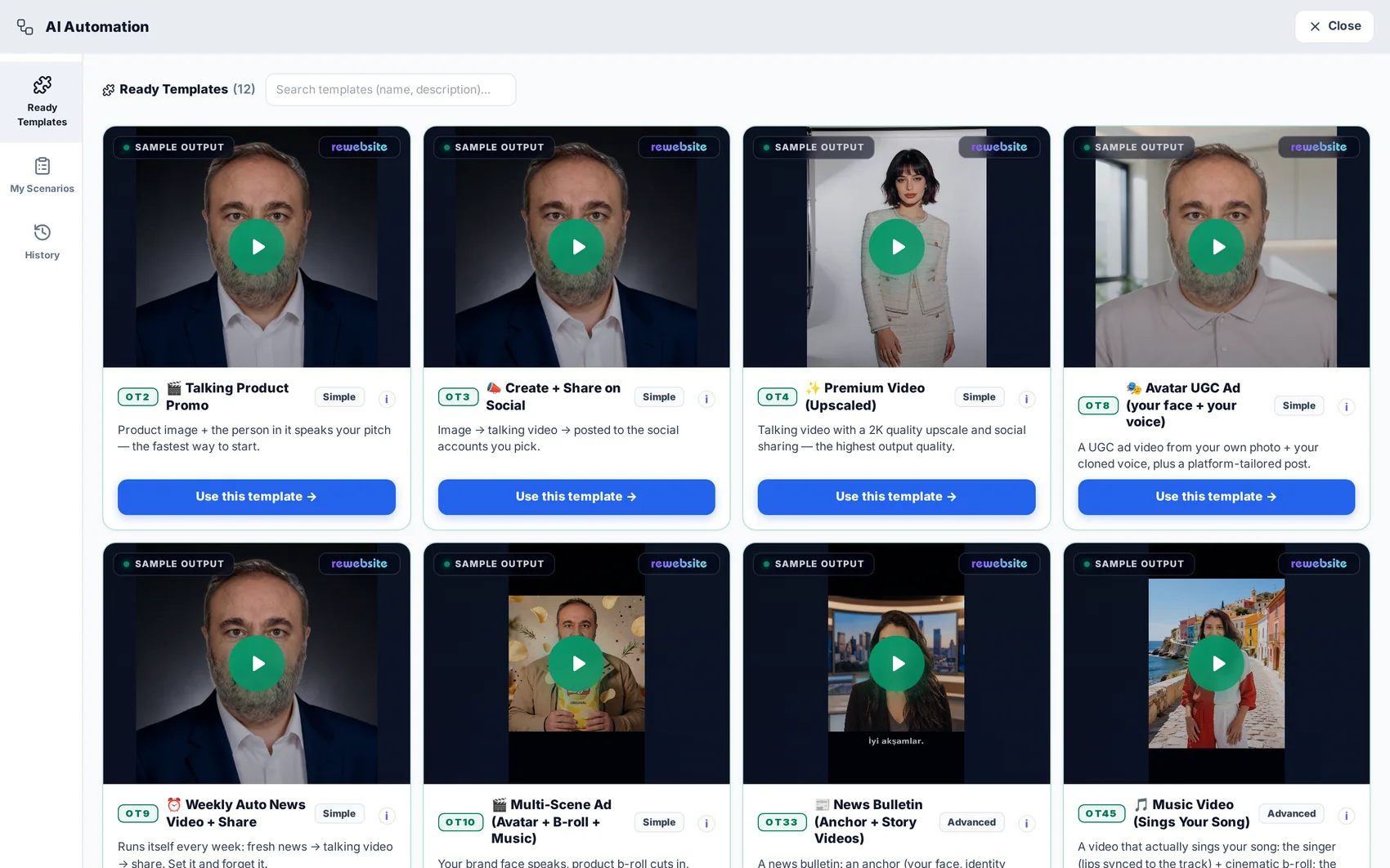
Open AI Automation → Ready Templates. Twelve scenarios are waiting, each with a real sample output you can watch first: talking product promo, weekly auto-news video, avatar UGC ad, multi-scene ad with music, news bulletin, music video and more.
Give it your topic and your brand
A scenario asks for what it needs: the subject, the product image, the tone, the language, the channel. Everything else — the plan, the script, the scenes — is produced for you from that.
Run it once and watch every step
A run shows each step as it completes with the output it produced: the plan, the script, the generated images, the clips, the voiceover, the music, the final cut. Any step can be inspected and re-run before the next one starts.
Tip · Unchanged steps are served from cache on a re-run, so fixing the last step does not pay for the first five again.
Put it on a schedule
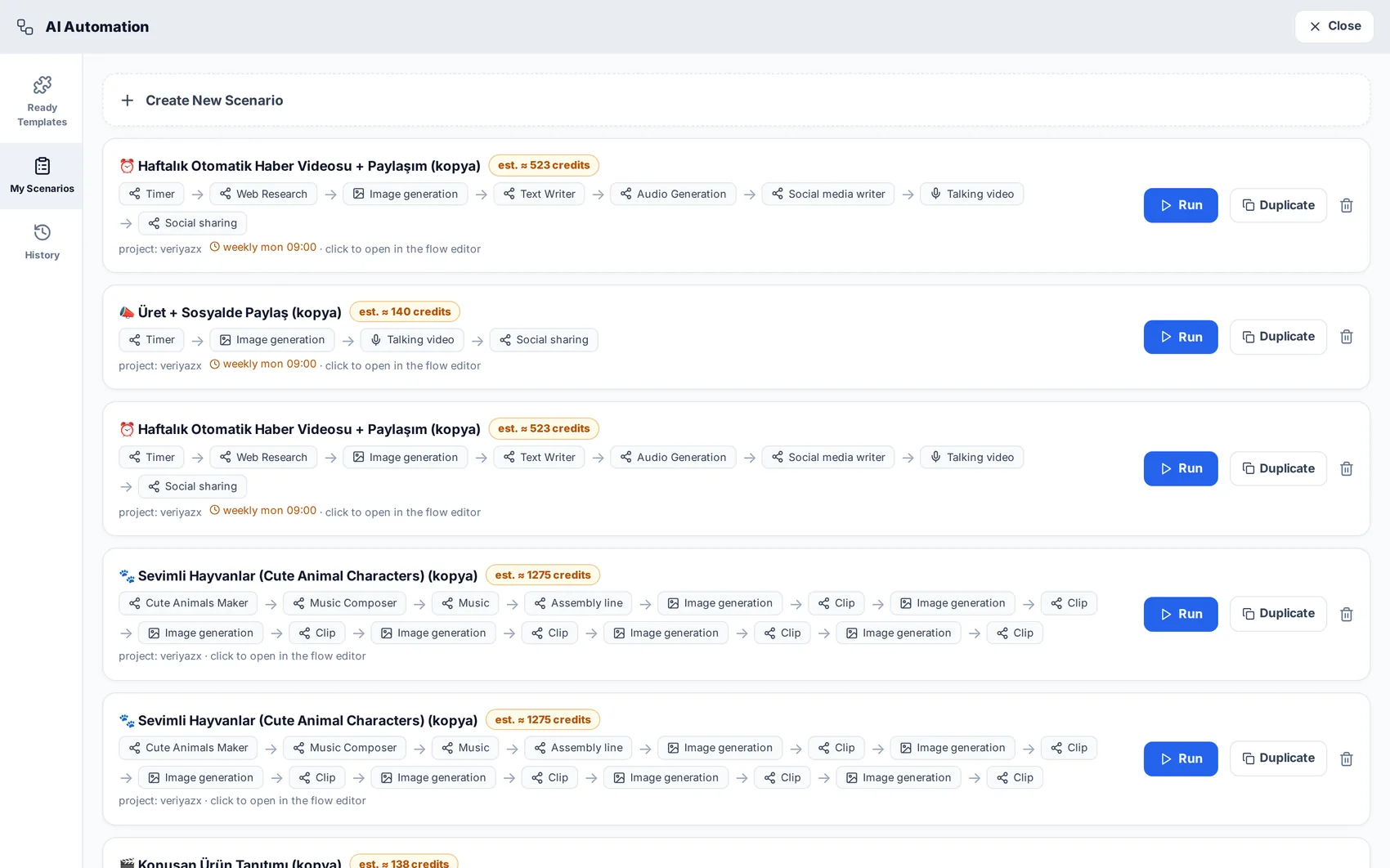
Set the scenario to repeat — “every Tuesday at 09:00” — and connect the channel it should publish to. From then on the content appears without you opening the platform.
Check the history
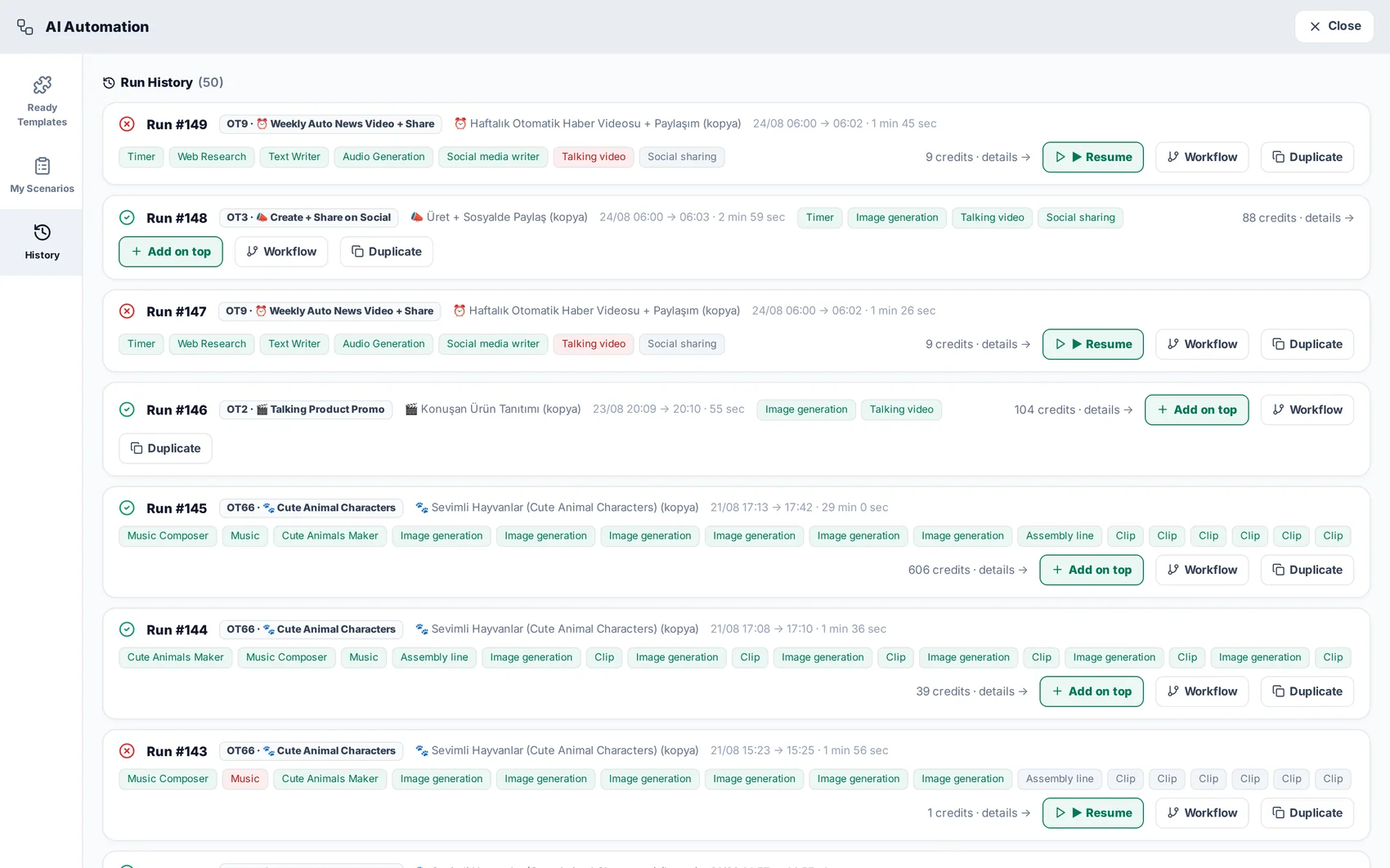
History keeps every run with its outputs and its cost. If a run gets stuck, a watchdog recovers it and tells you — you will never find a silently hung job days later.
Read next
AI Videos: ads, avatars and product spots
Choose a model with the price in front of you, generate the video, and get finished audio with it.
Social publishing and the shared inbox
Connect channels, schedule what you produced, and collect every reply and enquiry in one place.